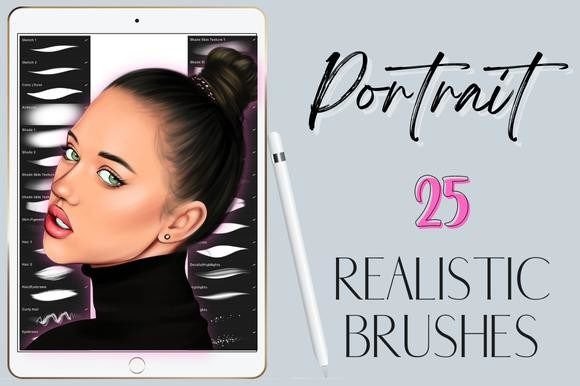
Mastering Realistic Portraits in Procreate with a Specialized Brush Set
Digital portraiture requires more than just technical skill; it demands the right tools to translate vision into reality. For artists working on the iPad, Procreate Portrait Realistic Brushes serve as a critical bridge between rough conceptualization and polished, gallery-ready artwork. While standard brushes can handle general illustration, achieving photorealism—particularly in skin texture, hair strands, and subtle lighting—often requires specialized assets designed to mimic traditional media behavior within a digital environment.
Integrating a curated set of 25 realistic portrait brushes into your workflow is not merely about downloading new files; it is about optimizing your creative process for efficiency and consistency. This article explores how these specific tools fit into a professional digital art pipeline, from initial sketching to final detailing, and how they interact with other elements of your creative ecosystem.
The Role of Specialized Brushes in the Digital Workflow
In any creative project, tool selection influences output quality and production speed. Generic brushes often require excessive layering and manual adjustment to achieve realistic effects. In contrast, a dedicated set of Procreate Portrait Realistic Brushes is engineered to reduce friction. These brushes are designed to respond intuitively to Apple Pencil pressure and tilt, allowing for natural variation in stroke width and opacity that mimics charcoal, graphite, oil, and soft pastels.
When planning a portrait project, consider where these tools fit into your timeline. They are not just for the final rendering phase. A well-structured workflow utilizes specific brushes at distinct stages:
- Preparation and Sketching: Using lightweight sketch brushes to establish proportions without committing to heavy lines.
- Base Modeling: Employing shading and blending brushes to build form and volume quickly.
- Detailing and Texturing: Applying skin texture, hair, and highlight brushes to add realism and depth.
- Final Polish: Using smudge and glitter brushes for atmospheric effects and focal point enhancement.
By categorizing your tools according to these phases, you minimize context switching and maintain creative momentum. This structured approach ensures that each brush serves a specific purpose, reducing the cognitive load associated with tool selection during intense focus periods.
Breakdown of the 25-Brush Toolkit
The value of this collection lies in its comprehensiveness. Rather than sourcing individual brushes from various creators—which can lead to inconsistent behavior and file management issues—a unified set of 25 brushes offers a cohesive experience. Here is how each category contributes to the overall portrait creation process:
Foundational Tools: Sketch, Shading, and Blending
The foundation of any realistic portrait is accurate anatomy and light logic. The included sketch brushes allow for loose, expressive preliminary drawings that can be easily refined. Unlike hard-edged digital pens, these brushes offer a grainy texture that helps in visualizing mass and form rather than just contours.
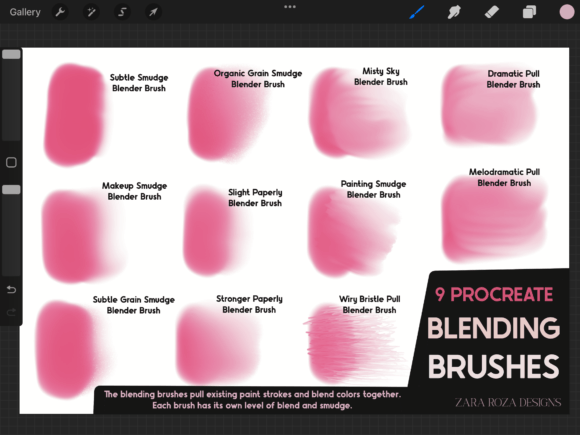
Once the sketch is approved, the shading brushes and blending brush take over. These tools are essential for establishing the value structure of the face. The blending brush, in particular, is crucial for softening transitions between light and shadow, creating the subtle gradients necessary for realistic skin tones. Efficient use of these tools reduces the need for excessive layers, keeping your Procreate file organized and performant.
Surface Realism: Skin Texture and Smudge Tools
One of the most challenging aspects of digital portraiture is avoiding the "plastic" look. Smooth, airbrushed skin often lacks humanity. The skin texture brushes in this set introduce micro-variations that mimic pores, fine lines, and natural imperfections. When used sparingly over blended base colors, they ground the portrait in reality.
Complementing these are the smudge brushes. While Procreate’s default smudge tool is functional, specialized smudge brushes offer controlled diffusion. They allow you to soften edges without losing underlying texture, a technique vital for rendering areas like the cheeks, forehead, and neck where skin transitions are gradual.
Complex Details: Hair, Eyelashes, and Eyebrows
Hair is often the most time-consuming element in portrait drawing. The set includes dedicated hair brushes, a specific curly hair brush, eyelashes brushes, and eyebrows brushes. These tools are programmed with varying opacity and flow dynamics to simulate the clumping and strand separation seen in real hair.
Using a generic round brush for eyelashes often results in uniform, unnatural lines. The specialized eyelashes brush allows for tapered strokes that start thick and end thin, replicating the natural growth pattern. Similarly, the curly hair brush helps in building volume quickly, allowing artists to block in shapes before adding individual stray hairs for realism. This distinction between bulk shape and fine detail is key to efficient execution.
Lighting and Effects: Highlights and Glitter
The final stage of a portrait involves enhancing the light source. Highlights brushes are designed to create sharp, reflective spots on the eyes, lips, and nose tip. These small details significantly impact the perceived realism of the piece. Additionally, the glitter brushes offer creative flexibility for stylized portraits or artistic embellishments, providing a quick way to add sparkle without manual particle placement.
Integration and Compatibility Considerations
Before implementing these tools, it is essential to understand their technical constraints. These are digital brushes which will only work in the Procreate App for iPad with Apple Pencil. They are not compatible with Photoshop, Clip Studio Paint, or desktop versions of Procreate. This specificity ensures that the brushes are optimized for the touch interface and pressure sensitivity algorithms unique to the iPad ecosystem.
For professionals managing cross-platform workflows, this means these assets are strictly for the mobile/tablet phase of production. If your pipeline involves moving files to desktop software for final color grading or layout, ensure that your Procreate file is exported in a compatible format (such as PSD or TIFF) to preserve layer integrity. The brushes themselves do not transfer, but the results they create do.
Practical Implementation Tips for Efficiency
To maximize the benefit of this 25-brush set, consider the following implementation strategies:
- Customize Your Palette: Do not keep all 25 brushes in your default sidebar. Create a custom brush set in Procreate containing only the essentials for your current project. For example, isolate the skin texture and shading brushes when working on complexion, and switch to the hair set when detailing coiffure. This reduces visual clutter and speeds up selection.
- Adjust Brush Settings: While these brushes are pre-configured for optimal performance, individual artistic styles vary. Experiment with the "StreamLine" and "Pressure Sensitivity" settings within Procreate to match your hand movement. Some artists prefer higher streamline for smoother hair strokes, while others prefer raw input for textured skin work.
- Layer Management: Use separate layers for different brush types. Keep sketch layers low in opacity, place shading on multiply layers, and apply highlights on overlay or add layers. This non-destructive workflow allows you to tweak specific elements without repainting the entire portrait.
- Practice Stroke Control: Realistic brushes often rely on velocity and pressure. Spend time practicing basic strokes on a blank canvas to understand how each brush responds. Notice how the curly hair brush behaves differently from the straight hair brush, and how the smudge tool interacts with wet versus dry paint layers.
Long-Term Value and Consistency
Investing in a high-quality brush set is an investment in your artistic brand. Consistency in style often comes from consistency in tools. By mastering a specific set of Procreate Portrait Realistic Brushes, you develop muscle memory that translates to faster turnaround times. Clients and audiences appreciate the reliability of a consistent aesthetic, and these tools help maintain that standard across multiple projects.
Furthermore, having a comprehensive set eliminates the time spent searching for free alternatives online, which often come with hidden costs such as poor optimization, malware risks, or incompatible formats. The convenience of receiving a single zip file with 25 curated brushes streamlines the setup process, allowing you to focus on creation rather than configuration.
In conclusion, integrating these specialized brushes into your digital art routine is a strategic move for any serious Procreate user. They address the specific challenges of portrait painting—texture, light, and fine detail—while fitting seamlessly into a structured, professional workflow. By understanding how to deploy each brush type at the appropriate stage of creation, you can enhance both the quality of your art and the efficiency of your process. Remember, the tool does not make the artist, but the right tool empowers the artist to execute their vision with precision and confidence.