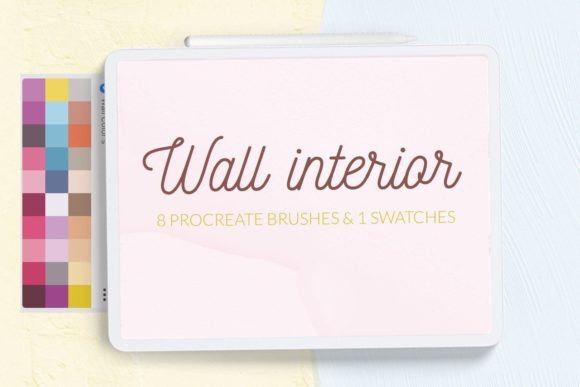
Enhancing Digital Interiors with Wall Texture Procreate Brushes
Digital illustration has evolved significantly over the past decade, moving from flat vector styles to rich, painterly compositions that mimic traditional media. For artists specializing in interior design visualization, architectural sketching, or lifestyle content creation, the ability to render realistic surfaces is paramount. Among the most challenging elements to replicate digitally are wall textures. Smooth digital gradients often fail to capture the gritty imperfection of concrete, the subtle trowel marks of plaster, or the layered depth of aged paint. This is where specialized tools like Wall Texture Interior Procreate Brushes become essential assets in a modern creator’s toolkit.
These brushes are not merely decorative stamps; they are functional tools designed to streamline the workflow of digital artists working on the iPad. By integrating seamless texture generation directly into the drawing process, they allow for rapid prototyping of interior scenes, efficient background creation for social media graphics, and enhanced realism in digital paintings. Understanding how these brushes function, their specific applications, and their installation requirements can help professionals and hobbyists alike determine if they fit their current creative needs.
The Practical Value of Seamless Textures in Digital Art
The core strength of this brush set lies in its focus on seamless backgrounds. In digital design, a seamless texture is one that can be tiled repeatedly without visible edges or breaks. This characteristic is crucial for several reasons. First, it allows artists to cover large canvases—such as those used for posters, web banners, or high-resolution prints—without worrying about resolution loss or awkward pattern interruptions. Second, it provides a consistent base layer that can be manipulated using Procreate’s blending modes, opacity settings, and color adjustments.
The set includes eight distinct texture brushes, covering some of the most common materials found in contemporary and industrial interior design: concrete, plaster, and painted walls. Each material presents unique visual challenges. Concrete requires a balance of roughness and uniformity; plaster needs to show the directional flow of application; painted walls must convey subtle variations in coverage and underlying surface quality. By offering pre-configured brushes for these specific materials, the toolset removes the time-consuming process of manually painting noise, grain, and irregularities from scratch.
Furthermore, the inclusion of a curated color swatch palette enhances usability. Color selection is often a bottleneck in digital workflows, especially when trying to match realistic neutral tones found in architecture. Having immediate access to appropriate shades of gray, beige, off-white, and muted earth tones allows artists to maintain momentum and ensure color harmony within their compositions.
Real-World Applications for Creators and Professionals
The versatility of Wall Texture Interior Procreate Brushes extends beyond simple background fills. For interior designers and architects who use digital sketching to present concepts to clients, these brushes add a layer of professionalism and realism that flat colors cannot achieve. A quick sketch of a living room becomes more tangible when the walls possess the visual weight of real plaster or the cool solidity of concrete. This helps clients visualize the final space more accurately, bridging the gap between abstract idea and physical reality.
For graphic designers and marketers, these textures serve as excellent foundations for social media posts, greeting cards, and promotional posters. The trend toward minimalism and industrial chic in branding often relies heavily on textured backgrounds to add depth without clutter. Using these brushes, a designer can create a sophisticated backdrop for typography or product placement in seconds. The seamless nature of the brushes ensures that the texture remains consistent regardless of the aspect ratio required for different platforms, such as Instagram stories, Pinterest pins, or LinkedIn banners.
Digital painters and illustrators also benefit from this toolset. When creating narrative scenes or character portraits set indoors, the environment plays a critical role in setting the mood. A rough, unfinished concrete wall can convey a sense of urban grit or isolation, while a smooth, softly lit plaster wall might suggest warmth and domesticity. These brushes allow artists to establish atmospheric context quickly, freeing up more time to focus on lighting, composition, and character details.
Usability and Workflow Integration
One of the primary considerations for any digital asset is its ease of integration into existing workflows. Procreate is known for its intuitive interface, and third-party brushes should complement rather than complicate this experience. The Wall Texture Interior Procreate Brushes are designed to be straightforward. Once installed, they appear alongside native brushes, allowing for immediate use. The ability to adjust size, opacity, and flow means that artists can customize the intensity of the texture to suit their specific project needs. A light touch might provide a subtle grain, while heavier pressure could simulate a thick coat of plaster.
However, users must be aware of the technical constraints. These brushes are optimized exclusively for the iPad version of Procreate. They are not compatible with desktop software like Photoshop or Clip Studio Paint, nor do they work on Android-based drawing apps. This limitation is important for professionals who rely on cross-platform workflows. If your primary workflow involves starting sketches on an iPad but finishing them on a desktop, you will need to export your layers and potentially recreate or adjust textures in your desktop software. Nevertheless, for those fully invested in the Apple ecosystem, the performance is generally smooth, leveraging the iPad’s processing power to handle high-resolution texture rendering without significant lag.
Installation Guide for Procreate Users
Installing custom brushes in Procreate can sometimes be confusing for new users, particularly if they are unfamiliar with file management on iOS. The process for Wall Texture Interior Procreate Brushes varies slightly depending on your device age and software version. Below are the standard methods for ensuring successful installation.
Method 1: Direct Import via Files App (Recommended for Modern Versions)
- Download the brush folder containing the
.brushor.brushsetfiles to your iPad’s Files app. - Open Procreate and navigate to the Brush Library by tapping the brush icon in the top right corner.
- Create a new collection by scrolling to the bottom of the brush list and tapping the "+" symbol. Name it appropriately, such as "Wall Textures."
- Tap on the newly created collection to open it.
- Tap the "+" icon again within the collection and select "Import."
- Navigate to the folder where you saved the downloaded brushes, select the files, and they will automatically appear in your library.
Method 2: Sharing via Files App (For Older iPads or Procreate 4.0 and Earlier)
If you are using an older version of the software, the direct import feature may not be available. In this case, follow these steps:
- Download the
.brushfile to a folder on your iPad. - Open the Files app and locate the downloaded brush file.
- Tap and hold the file with your finger or Apple Pencil to bring up the context menu.
- Select "Share" from the options.
- In the share sheet, look for "Open in Procreate." If it is not immediately visible, scroll through the app icons and tap "More" to find it.
- Tap "Open in Procreate." The brush will automatically install into your current brush set.
- Open your project in Procreate and verify the brush is available by clicking the brush icon at the top right corner.
Evaluating Long-Term Value and Limitations
When assessing the long-term value of Wall Texture Interior Procreate Brushes, it is important to consider both the time saved and the artistic flexibility gained. For freelancers and small business owners, time is a direct cost. Reducing the hours spent manually creating textures translates to higher profitability and faster turnaround times for client projects. The consistency provided by pre-made brushes also ensures a cohesive look across multiple pieces of content, which is vital for brand identity.
However, there are limitations to acknowledge. While these brushes provide a strong foundation, they are not a substitute for understanding light and shadow. A texture alone does not make a wall look three-dimensional; it must be lit correctly. Artists still need to apply shading, highlights, and perspective principles to integrate the texture seamlessly into their scenes. Additionally, because the textures are digital simulations, they may lack the unique, chaotic randomness of actual photographed surfaces. For hyper-realistic architectural renders, photographers might still prefer using high-resolution photo references. But for stylized art, concept design, and social media content, these brushes offer an optimal balance of realism and efficiency.
In conclusion, Wall Texture Interior Procreate Brushes represent a practical investment for digital creators focused on interior themes, architectural visualization, or textured graphic design. They address a specific pain point—creating realistic, seamless wall surfaces—and offer a streamlined solution that integrates well with the Procreate ecosystem. By understanding their capabilities, installation processes, and appropriate use cases, artists can leverage these tools to enhance the depth and professionalism of their digital work.