60 Stone Wall Photoshop Brushes
Texture is the silent language of digital design. It tells the viewer not just what they are seeing, but how it might feel if they reached out and touched the screen. In a landscape often dominated by flat vectors and sterile gradients, introducing organic imperfection can be the difference between a composition that feels manufactured and one that feels authentic. This is where a robust library of 60 Stone Wall Photoshop Brushes becomes an indispensable asset for modern creators. Whether you are crafting a gritty urban poster, designing immersive game environments, or adding subtle depth to a corporate branding package, these tools provide the raw material necessary to ground your work in reality.
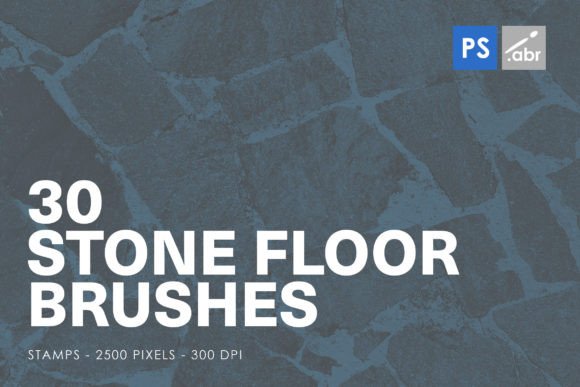
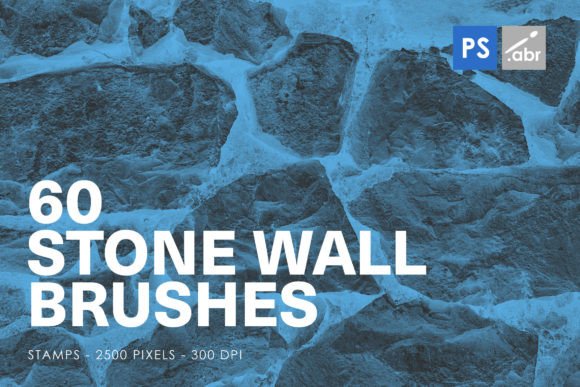
The collection known as STONE WALL PHOTOSHOP STAMP BRUSHES FOR PHOTOSHOP CS2 – CC All versions offers more than just simple stamps; it provides a versatile toolkit for visual storytelling. With 60 distinct stamp brushes included, each rendered at a high-resolution size of 2500 pixels, this set is engineered for flexibility. The high resolution ensures that whether you are scaling up for a large-format print or zooming in for detailed digital manipulation, the integrity of the stone’s surface remains crisp and convincing. For professionals who have upgraded their software over the years, the compatibility across all versions from CS2 to the latest Creative Cloud releases means there is no barrier to entry. You do not need to worry about legacy file issues or conversion errors; you simply install and create.
Beyond Simple Textures: Strategic Applications
Many designers make the mistake of viewing texture brushes as mere background fillers. While they certainly excel at creating atmospheric backdrops, limiting their use to the background layer ignores their potential as active design elements. The 60 Stone Wall Photoshop Brushes can be employed strategically to guide the viewer’s eye, create contrast, and establish hierarchy within a layout.
Consider the application of these brushes in typographic design. By using a stone texture as a clipping mask or a layer blend mode overlay on bold, sans-serif lettering, you can instantly transform clean, modern fonts into something that feels weathered, historical, or resilient. This technique is particularly effective for event posters, book covers, or advertising campaigns that aim to evoke a sense of permanence or strength. The irregularities in the stone patterns break up the uniformity of the letters, adding visual interest without sacrificing legibility, provided the contrast is managed correctly.
Another powerful application lies in photo manipulation and compositing. When blending disparate images together, such as placing a modern product into a rustic setting, the lighting and texture often fail to match, breaking the illusion. Using these stone wall stamps as overlay layers with adjusted opacity and blend modes like "Multiply" or "Overlay" can help unify the color palette and add a consistent grain across the entire composition. This subtle addition tricks the brain into perceiving the elements as part of the same physical space.
Creative Possibilities for Diverse Industries
The versatility of high-resolution stone textures extends far beyond traditional graphic design. Different industries can leverage these brushes to solve specific visual problems or enhance their brand narrative.
- Game Development and Concept Art: For indie game developers and concept artists, time is often a scarce resource. Painting realistic stone walls from scratch requires significant skill and hours of labor. These 60 stamp brushes allow for rapid prototyping of environment assets. Artists can quickly block out dungeon walls, castle exteriors, or urban alleyways, focusing their manual painting efforts on unique details rather than repetitive textures. The 2500-pixel resolution ensures that these assets hold up well even when viewed closely in-game.
- Web and UI Design: In the realm of web design, "brutalist" and neo-retro aesthetics are gaining traction. These styles rely heavily on raw, unpolished materials. Designers can use cropped sections of these stone brushes to create unique hero sections, dividers, or button backgrounds that stand out against the typical smoothness of web interfaces. The key here is subtlety; using the texture at low opacity can add sophistication without distracting from usability.
- Marketing and Advertising: Brands that want to communicate durability, heritage, or eco-friendliness can benefit from the organic nature of stone. A real estate marketer might use these brushes to enhance the exterior shots of a property, emphasizing the quality of the masonry. Alternatively, a luxury brand might use the dark, moody variations of the stone textures to create a backdrop for jewelry or watches, leveraging the contrast between the rough stone and the polished product to highlight elegance.
Mastering the Workflow: Tips for Consistency
Having access to 60 different brushes is a luxury, but it can also lead to decision paralysis or inconsistent results if not managed properly. To keep your workflow efficient and your output professional, consider adopting a structured approach to using these STONE WALL PHOTOSHOP STAMP BRUSHES.
First, organize your library. Not all 60 brushes will suit every project. Before starting a new design, review the set and select five to ten brushes that match the specific mood and lighting direction of your piece. Create a custom brush preset group for that project. This prevents you from scrolling through hundreds of options mid-flow, keeping your creative momentum intact.
Second, pay attention to scale and perspective. A common error in digital compositing is using a texture that is too fine or too coarse for the subject. Since these brushes are 2500 pixels in size, you have ample room to resize them without losing quality. If you are working on a close-up shot, use the full resolution to capture the intricate cracks and pores of the stone. For distant backgrounds, scale the brush down and increase the repetition to simulate a larger wall surface. Always match the perspective of the texture to the vanishing points of your composition to maintain realism.
Third, utilize layer masks and blending modes creatively. Rarely should you simply drop a stone brush onto the canvas and leave it. Use layer masks to fade the edges, allowing the texture to integrate seamlessly with other elements. Experiment with blending modes: "Soft Light" adds subtle texture, "Overlay" increases contrast, and "Color Burn" can deepen shadows for a more dramatic, aged look. Adjusting the opacity is crucial; often, a texture at 30% to 50% opacity looks more natural than one at 100%, as it allows the underlying colors to show through.
Adapting to Your Audience and Platform
The way you present these textures should depend on where your final artwork will live. For print media, such as magazines, brochures, or packaging, the high resolution of these brushes is a significant advantage. Ensure your document is set to 300 DPI to take full advantage of the 2500-pixel detail. The tactile quality of stone translates beautifully to paper, especially when paired with matte finishes or embossing techniques.
For digital platforms, including social media and websites, file size and load times are critical. While the source brushes are high-resolution, your final export should be optimized. Use the detailed stone textures to create visually striking thumbnails or headers, but compress the final images appropriately. On mobile devices, intricate details can sometimes get lost, so ensure that the contrast between the stone texture and any foreground elements is strong enough to be readable on smaller screens.
Ultimately, the value of the 60 Stone Wall Photoshop Brushes lies in their ability to bridge the gap between the digital and the physical. They offer a shortcut to realism without sacrificing artistic control. By understanding how to manipulate scale, opacity, and blending, creators can transform these static stamps into dynamic components of their visual language. Whether you are a freelancer looking to speed up your client work, a hobbyist experimenting with digital art, or a marketer aiming to add weight to your brand’s visual identity, these tools provide a solid foundation for inspired, grounded creativity.
Embrace the imperfections. Let the cracks, the weathering, and the rough edges inform your design choices. In doing so, you move beyond mere decoration and start creating work that resonates with viewers on a sensory level. The stones are there; it is up to you to build something lasting with them.