30 Stone Floor Photoshop Brushes
Texture is the silent language of digital design. It tells the viewer whether a surface is cold, rough, ancient, or polished without a single word being spoken. For graphic designers, concept artists, and photo manipulators, finding high-quality stone textures that feel authentic rather than repetitive can be a significant bottleneck. This is where a specialized toolkit becomes invaluable. The 30 Stone Floor Photoshop Brushes collection offers a robust solution for creators who need to inject realism and tactile depth into their work efficiently.
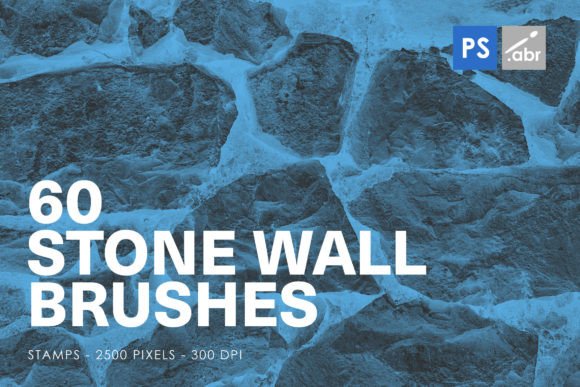
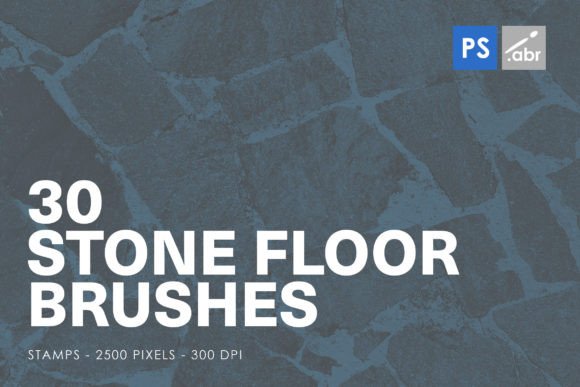
This set includes thirty distinct stamp brushes, each rendered at a high resolution of 2500 pixels. Designed for compatibility across all versions of Adobe Photoshop from CS2 to the current Creative Cloud releases, these brushes are not just simple patterns. They are versatile tools that bridge the gap between flat digital canvases and the gritty reality of physical materials. Whether you are building a fantasy game environment, designing a vintage poster, or adding subtle grunge to a modern web banner, these brushes provide the foundational texture needed to ground your visuals.
The Power of High-Resolution Stamp Brushes
When working with digital textures, resolution is often the difference between a professional finish and a pixelated mess. Many free brush sets suffer from low-resolution source images, which break down when scaled up or printed. The STONE FLOOR PHOTOSHOP STAMP BRUSHES FOR PHOTOSHOP CS2 – CC All versions address this by providing 2500-pixel source files. This high fidelity ensures that even when you are working on large-format prints or high-definition screens, the intricate details of cracks, moss, and weathering remain sharp and convincing.
Stamp brushes differ from standard scattering brushes in their application. They allow for precise placement, giving the artist full control over where the texture appears. This is crucial for photo manipulation, where you might need to match the perspective of a specific floor tile or cover a blemish on a wall with a matching stone pattern. With thirty unique variations included in this pack, you avoid the "tiling effect" that plagues lesser resources. Each brush offers a different arrangement of stones, varying levels of erosion, and diverse color tones, allowing for seamless blending and organic-looking results.
Creative Applications Across Industries
The utility of these brushes extends far beyond simple background fills. Different creative professionals can leverage this toolkit to solve specific workflow challenges.
Digital Photo Manipulation and Compositing
For photo editors, integrating a subject into a new environment often fails because the lighting and texture do not match. If you are placing a character into an ancient ruin or a modern urban alley, the ground beneath them needs to feel real. Using these stone floor brushes, you can paint in realistic pavement that matches the perspective of your scene. By adjusting the layer opacity and using blending modes like Multiply or Overlay, you can merge the brush strokes with existing photos, creating a cohesive composite that fools the eye.
Game Design and Concept Art
Concept artists and indie game developers often work under tight deadlines. Creating detailed environment textures from scratch is time-consuming. These brushes serve as excellent starting points for block-outs. You can quickly lay down a stone path, a dungeon floor, or a castle courtyard. Because the brushes are high-resolution, they can also be used as base textures for 3D modeling software. By capturing a screenshot of the brush stroke, you can create a diffuse map for a 3D object, speeding up the prototyping phase significantly.
Graphic Design and Typography
In print and web design, text often needs to stand out against busy backgrounds or convey a specific mood. These brushes can be used to create custom text fills. By masking the stone texture inside bold typography, you can create headlines that look like they are carved from granite or laid with cobblestones. This technique adds immediate visual interest to posters, book covers, and branding materials for industries like construction, history, or luxury goods, where solidity and permanence are key brand attributes.
Techniques for Realistic Integration
Having the right tool is only half the battle; knowing how to use it effectively is what separates amateur edits from professional work. To get the most out of the 30 Stone Floor Photoshop Brushes, consider these practical techniques:
- Use Layer Masks: Never erase parts of your brush stroke directly. Instead, apply a layer mask. This allows you to refine the edges of the stone texture, fading it out naturally where it meets other elements in your composition.
- Adjust Perspective: Stone floors recede into the distance. Use the Transform tool (Ctrl+T or Cmd+T) to skew and scale your brush stamps so they align with the vanishing point of your image. A flat stamp on a angled floor will break the illusion of depth.
- Color Grading: Rarely will a stock texture match your image’s lighting perfectly. Use adjustment layers like Curves, Hue/Saturation, or Color Balance clipped to your brush layer. Match the shadows and highlights of the stone to the ambient light of your scene.
- Add Noise and Grain: Digital brushes can sometimes look too clean. Adding a slight amount of noise helps blend the high-resolution texture with the rest of your image, especially if the source photo has film grain or sensor noise.
Enhancing Workflow Efficiency
For freelancers and small business owners, time is money. The compatibility of these brushes with all versions of Photoshop from CS2 onwards means you do not need to worry about software updates breaking your assets. This longevity makes them a safe investment for studios with mixed software environments. Furthermore, having a curated set of thirty high-quality options reduces decision fatigue. Instead of scrolling through hundreds of mediocre textures online, you have a reliable, go-to resource that covers most common stone flooring scenarios.
Organization is key when using large brush sets. Consider grouping these thirty brushes into a dedicated folder within your Photoshop brush panel. You might even categorize them by tone—light limestone, dark slate, or reddish brick—if the set includes such variety. This small organizational step saves seconds per use, which adds up to hours over the course of a year.
Expanding Your Visual Vocabulary
Ultimately, tools like the STONE FLOOR PHOTOSHOP STAMP BRUSHES are about expanding what is possible in your digital workspace. They encourage experimentation. You might find that a brush intended for a floor works beautifully as a textured border for a photograph. Or perhaps the cracks in one of the stone patterns serve as the perfect basis for a lightning effect in a fantasy illustration. The high resolution allows for cropping and repurposing, turning a single brush stroke into multiple unique assets.
By integrating these textures into your workflow, you add a layer of sophistication to your projects. Viewers may not consciously notice the texture, but they will feel the weight and reality it provides. In a digital world that often feels flat and ephemeral, grounding your designs in the tangible quality of stone can create a deeper emotional connection with your audience. Whether you are educating students on digital art techniques, marketing a rugged outdoor brand, or creating personal artwork, these brushes offer the versatility and quality needed to elevate your final output.
Embrace the tactile nature of digital design. Let the roughness of stone contrast with the smoothness of vector graphics. Use these thirty brushes to build worlds that feel lived-in and real. The next time you start a project that demands authenticity, reach for a tool that delivers precision, quality, and creative freedom. Your designs will thank you for the added depth.