Torn Paper Brushes for Procreate: Edge Effects
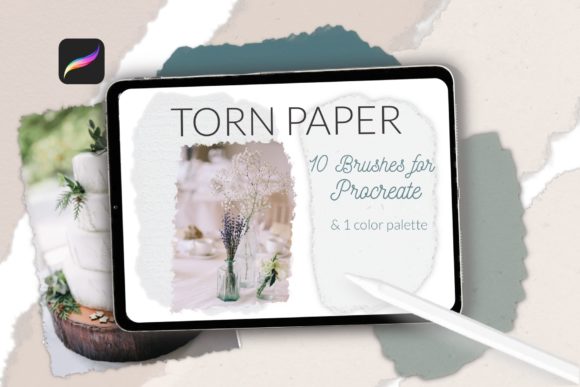
Digital art often struggles with the tactile warmth of physical media. While pixels are precise, they can feel sterile. This is where Torn Paper Brushes for Procreate, Edge bridge the gap between the digital canvas and the organic imperfection of handmade collage. By introducing irregular edges, fibrous textures, and natural shadows, these tools allow creators to inject soul and depth into their work without leaving their iPad.
The appeal of torn paper aesthetics lies in its versatility. It is not just about mimicking a craft supply; it is about leveraging the visual language of layering, history, and texture. Whether you are designing a wedding invitation suite, creating a moody digital scrapbook page, or building a complex mood board for a client, the right edge effect can transform a flat composition into something that feels touched and curated. The included set offers ten distinct stamps and brushes, providing a robust toolkit for anyone looking to elevate their digital design workflow with authentic, handcrafted details.
The Power of Imperfection in Digital Design
In a world saturated with slick, vector-perfect graphics, imperfection stands out. Human eyes are drawn to irregularity because it signals authenticity. When you use a standard digital eraser, the edge is mathematically smooth. When you use a torn paper brush, the edge carries the visual weight of fiber tearing away from fiber. This subtle difference changes how viewers perceive the hierarchy and emotion of an image.
For marketers and small business owners, this distinction is crucial. Brands today strive for relatability. A social media post featuring a product announcement on a clean white background is functional. That same announcement placed on a textured, torn-edge paper overlay feels editorial, thoughtful, and premium. It suggests that care was taken in the presentation. This psychological cue helps freelancers and entrepreneurs connect with audiences who value craftsmanship over mass production.
Practical Applications for Creators and Professionals
The utility of this brush set extends far beyond simple decoration. Here is how different professionals can integrate these tools into their daily workflows to solve specific design challenges.
Digital Scrapbooking and Memory Keeping
Scrapbooking has moved from physical albums to digital platforms like Procreate, allowing for easier sharing and archival. However, digital photos often look disjointed when placed side by side. Using torn paper brushes creates natural frames that soften the transition between images. You can layer a photo over a neutral-toned paper swatch from the included 30-color palette, then use the torn edge brush to mask the photo’s borders. This technique mimics the look of photos tucked into pockets or taped into journals, evoking nostalgia and warmth.
Wedding Stationery and Map Creation
Wedding designers frequently seek ways to make digital proofs feel tangible. A wedding map, for instance, can appear cold if rendered solely with lines and pins. By placing the map graphic on a background that resembles watercolor paper with torn edges, you instantly add a romantic, artisanal quality. The brushes allow you to create layered invitations where the RSVP card appears to sit atop the main invite, complete with realistic shadowing and ragged edges. This adds depth to flat screens, helping clients visualize the final printed product more accurately.
Mood Boards and Collage Art
For interior designers, fashion stylists, and creative directors, mood boards are essential communication tools. Standard rectangular images can make a board feel rigid. Using the Torn Paper Brushes for Procreate, Edge allows you to rip away the backgrounds of inspiration images, leaving only the essential elements floating on textured paper. This collage style encourages viewers to focus on color, form, and feeling rather than getting distracted by unnecessary context. The included eraser brush is particularly useful here, allowing you to refine edges and remove unwanted digital artifacts quickly.
Maximizing the Included Assets
This package is designed to be a comprehensive solution, not just a single tool. Understanding how to leverage each component ensures you get the most value from your purchase.
- The Brush Set: With ten unique stamps and brushes, you have variety in tear patterns. Some tears are jagged and aggressive, suitable for grunge or high-energy designs. Others are soft and fibrous, ideal for gentle, romantic, or vintage aesthetics. Rotate through them to avoid repetition in larger projects.
- The Eraser: A specialized eraser brush is included to complement the stamps. This allows you to manually tear edges on any layer, giving you full control over the direction and intensity of the rip. It is perfect for customizing stock photos or integrating text boxes seamlessly into backgrounds.
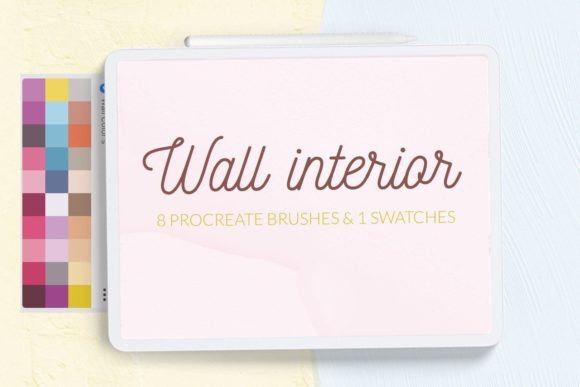
- The Color Palette: The set includes 30 neutral swatches specifically calibrated for paper tones. Choosing the right base color is critical. A stark white digital background can make torn edges look harsh. Using a warm cream, soft gray, or muted beige from the palette provides the necessary contrast and realism, mimicking the off-white tone of aged or artisanal paper.
Techniques for Realistic Results
To ensure your digital torn paper looks convincing rather than gimmicky, consider these practical tips:
- Layering is Key: Rarely does a single layer suffice. Place a torn paper shape, then duplicate it, darken it slightly, and offset it by a few pixels to create a drop shadow. This simple step adds three-dimensional depth.
- Mix Textures: Combine the torn edges with watercolor paper backgrounds. The contrast between the rough tear and the subtle grain of the paper enhances the tactile illusion. Avoid using flat, solid colors for the paper body if you want maximum realism.
- Embrace Asymmetry: Natural tears are rarely symmetrical. When framing an image, vary the width of the paper border on each side. Let some edges bleed off the canvas while others remain contained. This unpredictability mirrors real-life crafting.
- Color Harmony: Use the provided neutral palette to anchor your design. If your main image is vibrant, keep the paper tones subdued. If the image is monochrome, a slightly warmer paper tone can add necessary visual interest without overwhelming the subject.
Adapting Style for Different Audiences
The way you apply these brushes should shift based on your target audience. For a corporate client, use subtle, clean tears with minimal texture to maintain professionalism while adding a touch of modern design flair. For a lifestyle blogger or hobbyist, you can be more expressive, using jagged edges and layered collages to convey energy and creativity. Educators might use these tools to create engaging worksheets that feel less like tests and more like interactive journals, increasing student engagement through approachable design.
Consistency matters. If you are building a brand identity, select two or three specific tear styles from the set and stick to them. This creates a recognizable visual signature. Randomly switching between vastly different edge styles can make a portfolio look disjointed. Curate your choices just as you would curate a physical material library.
Final Thoughts on Creative Flow
Tools like Torn Paper Brushes for Procreate, Edge are more than shortcuts; they are catalysts for creativity. They remove the technical barrier of manually masking complex edges, allowing you to focus on composition and storytelling. Whether you are a seasoned designer looking to speed up your workflow or a hobbyist eager to explore digital collage, these brushes offer a straightforward path to richer, more textured art.
By integrating these elements thoughtfully, you move beyond flat digital design into a space that feels curated, intentional, and human. Download the zip folder, explore the neutral swatches, and start tearing into your next project. The goal is not just to make things look old or crafted, but to make them feel real in a digital space. Enjoy the process of creating your own mood boards, collages, and designs with © 2022 Let s Art resources, and let the imperfections tell your story.