Mastering Digital Texture: A Guide to the Procreate Brush Set - Texture Brushes
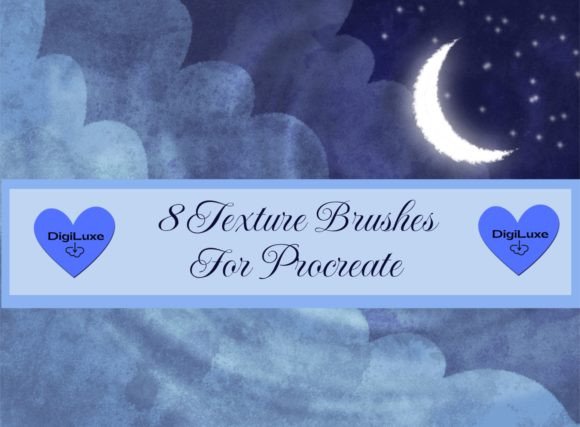
In the evolving landscape of digital art, the difference between a flat illustration and a captivating masterpiece often lies in the details. Specifically, it is the subtle imperfections, the grain, and the tactile quality that invite the viewer to look closer. For artists working within the iPad ecosystem, the Procreate Brush Set - Texture Brushes has emerged as an essential toolkit for bridging the gap between traditional media aesthetics and digital convenience. This collection, which includes the specialized 8 DigiLuxe Texture Brushes for Procreate, offers a streamlined way to add depth, dimension, and visual interest to your work without the steep learning curve associated with complex layer masking or manual noise generation.
The Power of Tactile Digital Art
Digital art is renowned for its cleanliness. Lines are crisp, colors are uniform, and undo buttons eliminate the fear of mistake. However, this perfection can sometimes feel sterile. Human eyes are drawn to organic patterns because they mimic the natural world. When you introduce texture, you reintroduce a sense of history and materiality to the canvas. The Procreate Brush Set - Texture Brushes is designed specifically to address this need. By simulating the behavior of physical materials—such as rough paper, charcoal grit, or watercolor blooms—these tools allow creators to infuse their digital pieces with a soulful, handcrafted feel.
The core value of this brush set lies in its versatility. It is not merely about slapping a filter over an image; it is about integrating texture into the workflow. Whether you are illustrating a children’s book, designing a brand logo, or creating concept art for a game, the ability to control texture dynamically allows for a more nuanced artistic expression. The included 8 DigiLuxe Texture Brushes are curated to cover a broad spectrum of artistic needs, ensuring that whether you seek subtle grain or bold, abrasive strokes, you have the right tool at your fingertips.
Understanding the Toolkit: What’s Inside?
When you purchase this package, you will receive a single Zip file containing the complete brushset. This straightforward delivery method ensures that installation is quick and hassle-free, allowing you to get straight to creating. The set is comprehensive yet focused, avoiding the bloat of hundreds of redundant brushes in favor of eight high-quality, distinct tools.
Among the standout features are the 2 Overlay Brushes Included in the set. These are particularly powerful for artists who want to apply texture non-destructively. Unlike standard brushes that paint directly onto your layer, overlay brushes interact with the layers beneath them. This means you can paint texture on a separate layer and then experiment with different blend modes to change the effect of overlay brushes. This flexibility is crucial for professional workflows where edits and adjustments are frequent.
Key Characteristics of the DigiLuxe Collection
- High-Resolution Stamps: Each brush is built from high-quality source images, ensuring that even when scaled up, the texture retains its clarity and does not become pixelated or muddy.
- Pressure Sensitivity: The brushes are calibrated to respond to the Apple Pencil’s pressure and tilt, mimicking the natural variation found in traditional media.
- Customizable Settings: While ready to use out of the box, each brush can be fine-tuned in Procreate’s brush studio, allowing advanced users to adjust spacing, jitter, and opacity to suit their specific style.
- Optimized Performance: Designed for efficiency, these brushes are lightweight enough to ensure smooth performance on various iPad models, preventing lag during intensive painting sessions.
Practical Applications for Creators
The utility of the Procreate Brush Set - Texture Brushes extends far beyond fine art illustration. Its applications are diverse, catering to a wide range of creative professionals. Understanding where and how to use these tools can significantly enhance your output quality.
Illustration and Concept Art
For illustrators, texture is a storytelling device. A gritty, rough texture can convey tension, age, or decay in a character design or environment. Conversely, a soft, paper-like texture can evoke warmth and nostalgia. By using the DigiLuxe brushes, artists can quickly establish the mood of a piece. For example, applying a subtle canvas texture to a portrait can make it feel like a traditional oil painting, adding a layer of sophistication that flat digital colors often lack.
Graphic Design and Branding
In the world of graphic design, minimalism is popular, but "warm minimalism" is trending. Brands are moving away from sterile, vector-only logos toward designs that feel approachable and human. The overlay brushes in this set are perfect for adding a slight noise or paper grain to business cards, social media graphics, and packaging designs. This small detail can make a digital design feel tangible and premium, helping brands connect more emotionally with their audience.
Photo Editing and Manipulation
Photographers and photo manipulators can also benefit greatly from this toolkit. Instead of relying on external software like Photoshop to add film grain or light leaks, you can achieve similar effects directly in Procreate. Using the overlay brushes with blend modes such as Multiply, Screen, or Overlay allows you to integrate textures seamlessly into photographs, creating cohesive composite images that look authentic rather than pasted together.
Maximizing Value: Tips for Usage
To get the most out of your Procreate Brush Set - Texture Brushes, it is important to understand how to manipulate them effectively. Here are some practical strategies for integrating these tools into your workflow:
- Experiment with Blend Modes: As mentioned, the set includes overlay brushes. Do not limit yourself to the "Normal" blend mode. Try setting your texture layer to Multiply to darken the underlying colors with the texture, or Screen to lighten them. Overlay and Soft Light are excellent for adding contrast and depth without drastically changing the color palette.
- Adjust Opacity: Subtlety is key. Often, a texture looks best when it is barely perceptible. Lowering the opacity of your texture layer to between 10% and 30% can add just enough interest to break up flat areas without overwhelming the main subject.
- Layering Textures: Don’t be afraid to combine brushes. You might use one brush for a base paper texture and another for specific distressed edges. Layering different types of textures can create complex, unique surfaces that look highly organic.
- Use Clipping Masks: If you want to apply texture only to a specific object, place the texture layer above the object layer and select "Clipping Mask." This ensures the texture only appears within the boundaries of the underlying artwork, keeping your composition clean.
Considerations and Limitations
While the Procreate Brush Set - Texture Brushes is a powerful asset, it is important to have realistic expectations. First and foremost, these brushes are for Procreate App Only. They are not compatible with Photoshop, Clip Studio Paint, or other desktop software. This limitation is due to the proprietary brush engine used by Procreate on iOS. Therefore, if your workflow relies heavily on desktop applications, you will need to export your textured artwork from Procreate to continue editing elsewhere.
Additionally, while the brushes are high quality, they are tools, not magic wands. The effectiveness of the texture depends largely on the artist’s understanding of light, shadow, and composition. A texture applied poorly can distract from the artwork rather than enhance it. It requires practice to learn how much texture is too much. Beginners should start with low opacity and gradually build up their confidence in using these effects.
Another consideration is file size. High-resolution textures can increase the file size of your Procreate document. If you are working on an older iPad model with limited storage or RAM, be mindful of how many high-resolution texture layers you are using simultaneously. Merging layers periodically can help maintain performance.
Who Should Invest in This Brush Set?
This toolkit is ideal for a variety of users:
- Digital Illustrators: Looking to break away from the "digital look" and add organic feel to their work.
- Graphic Designers: Seeking quick ways to add premium, tactile elements to branding and marketing materials.
- Hobbyists and Students: Wanting to explore mixed-media styles without the mess and cost of physical supplies.
- Content Creators: Needing eye-catching textures for social media posts, thumbnails, and digital products.
However, if you strictly work in vector-based software or prefer a ultra-clean, corporate aesthetic with no grain or noise, this set may not align with your style. It is best suited for those who value artistic expression and visual depth.
Final Thoughts
The Procreate Brush Set - Texture Brushes, featuring the 8 DigiLuxe Texture Brushes for Procreate, represents a smart investment for any digital creator looking to elevate their work. By providing easy access to high-quality, versatile textures, it removes the technical barriers to achieving a traditional media look. The inclusion of overlay brushes and the ability to modify effects through blend modes offer endless creative possibilities.
Ultimately, art is about communication, and texture is a vital part of that language. It adds weight, emotion, and reality to the digital canvas. Whether you are a seasoned professional or just starting your journey, incorporating these tools into your arsenal can open new doors for creativity. Remember, the goal is not just to use the brushes, but to understand how they serve your vision. With practice and experimentation, the Procreate Brush Set - Texture Brushes can become an indispensable part of your digital artistry, helping you create works that are not just seen, but felt.
For those ready to transform their digital workflow, downloading the Zip file and installing the set is the first step toward richer, more dynamic creations. Embrace the grain, enjoy the depth, and let your art breathe with the added dimension of texture.