50 Wood Texture Photoshop Stamp Brushes: A Practical Guide for Digital Creators
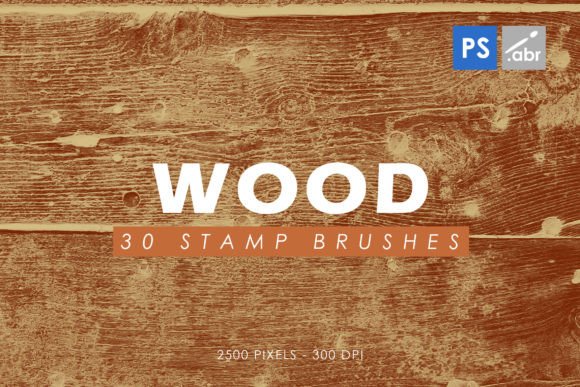
If you have ever spent hours trying to make a digital object look like it belongs in the physical world, you know that texture is everything. Flat colors and perfect gradients rarely convince the eye. This is where a reliable set of 50 Wood Texture Photoshop Stamp Brushes becomes an indispensable tool in your creative arsenal. These are not just random splatters or abstract shapes; they are high-resolution, 2500-pixel assets designed to bring the organic warmth and imperfection of timber into your digital workspace.
Whether you are a graphic designer working on a branding package, a game developer building immersive environments, or a hobbyist creating digital scrapbooks, understanding how to leverage these brushes can significantly speed up your workflow. The key lies in moving beyond simple application and learning how to integrate these textures into your broader design logic.
Bridging the Gap Between Digital and Organic
The primary value of these wood stamp brushes is their ability to break the sterile perfection of digital art. When we create on screens, everything tends to look too clean. Real wood has grain, knots, cracks, and weathering. By using high-quality stamp brushes, you introduce these natural irregularities instantly. Because these brushes are compatible with Photoshop CS2 through CC and all subsequent versions, they offer a versatile solution for users regardless of their software generation.
Consider the resolution. At 2500 pixels, these stamps are large enough to maintain detail even when scaled down for web graphics or printed materials. This high resolution ensures that the grain does not become pixelated or blurry, a common issue with lower-quality freebies found online. For professional projects, this level of clarity is non-negotiable.
Real-World Applications for Designers and Marketers
For marketers and small business owners, authenticity sells. Consumers are increasingly drawn to brands that feel grounded and authentic. Here is how different professionals can apply these wood textures in practical scenarios:
- Product Mockups: If you are selling digital prints or physical goods online, placing your product on a wooden surface adds context. Instead of a flat white background, use a wood stamp as a base layer to simulate a tabletop. This helps customers visualize the item in a home setting.
- Rustic Branding Elements: Cafes, breweries, and artisanal shops often use wood imagery in their logos and social media posts. Using a wood texture as a fill for text or as a background for quotes can reinforce a brand’s earthy, handcrafted identity.
- Social Media Graphics: In a feed full of bright, neon colors, a post featuring warm wood tones can stop the scroll. Use the brushes to create frames or borders around your text, giving your content a cohesive, curated look.
Enhancing Digital Art and Photo Manipulation
Digital painters and photo manipulators face the challenge of blending disparate elements seamlessly. If you are compositing a character into a forest scene, the lighting and texture must match. These 50 wood texture brushes allow you to paint realistic bark onto trees, add wooden planks to a floor, or create aged furniture props without needing to photograph every single element yourself.
The variety within the set is crucial. With 50 different stamps, you avoid repetition. Repetitive patterns are a dead giveaway of digital manipulation. By rotating, scaling, and varying the opacity of different wood stamps, you can create complex surfaces that look genuinely random and organic. This is particularly useful for concept artists who need to quickly iterate on environment designs for games or films.
Text Fill and Typography Effects
One of the most striking uses of these brushes is in typography. Standard fonts can feel cold. By clipping a wood texture to your text layer, you can create headlines that look like they were carved from oak or painted on reclaimed barn wood. This technique works exceptionally well for:
- Event Posters: Wedding invitations, music festival flyers, or workshop announcements benefit from the tactile feel of wood-textured type.
- Book Covers: Historical fiction or mystery novels often use textured backgrounds to evoke a sense of age and intrigue.
- Web Headers: A website hero section with wood-filled typography can establish a strong visual hierarchy and mood immediately upon loading.
Considerations Before You Start
While these brushes are powerful, they require a thoughtful approach to yield the best results. Simply stamping them onto a canvas rarely looks professional. Here are some practical considerations to keep in mind:
Lighting and Direction: Wood grain has direction. If you are applying multiple stamps to create a larger surface, ensure the grain flows logically. Inconsistent grain direction breaks the illusion. Additionally, consider the light source in your composition. You may need to use dodge and burn tools to highlight the raised grains and shadow the cracks, enhancing the three-dimensional effect.
Color Grading: Raw wood textures may not match your project’s color palette. Be prepared to use adjustment layers such as Hue/Saturation, Color Balance, or Curves. Desaturating the wood slightly can make it look aged or weathered, while warming it up can create a cozy, inviting atmosphere. The goal is integration, not just insertion.
Layer Modes: Experiment with blending modes. Multiply is excellent for darkening underlying layers with wood grain, while Overlay or Soft Light can add texture without obscuring the colors beneath. Understanding how these modes interact with your specific image is key to achieving a natural look.
Why High Resolution Matters for Versatility
The 2500-pixel size of these brushes is a significant advantage. In digital design, you can always scale down without losing quality, but you cannot scale up without pixelation. Having high-resolution source material means you can use these same brushes for a small Instagram icon or a large-format print poster. This flexibility is essential for freelancers and agencies who need to repurpose assets across multiple platforms.
Furthermore, high resolution allows for detailed cropping. You might only need a small section of a knot or a specific grain pattern. With a low-resolution brush, cropping would result in a blurry mess. With these 50 wood texture Photoshop stamp brushes, you can isolate tiny details and use them as unique design elements, maximizing the value of the set.
Integrating into Your Workflow
To get the most out of this tool, organize your library effectively. Since there are 50 brushes, take time to preview them and categorize them by tone (light, dark, reddish, gray) or type (plank, bark, distressed). This saves time during tight deadlines. When you are in the flow of creation, hunting for the right brush can break your concentration.
Also, consider combining these wood textures with other elements. A wood background paired with subtle dust overlays, paper textures, or leaf shadows can create a rich, layered composition. The wood serves as the foundation, but the additional elements add depth and realism. This layering technique is standard in high-end digital art and photo manipulation.
Ultimately, the 50 Wood Texture Photoshop Stamp Brushes are more than just a download; they are a shortcut to realism. They allow you to bypass the tedious process of creating organic textures from scratch, freeing you to focus on composition, storytelling, and design. Whether you are enhancing a photo, designing a logo, or building a game asset, these brushes provide the tangible quality that connects with viewers on a subconscious level. By mastering their application, you elevate your work from digital to visceral.