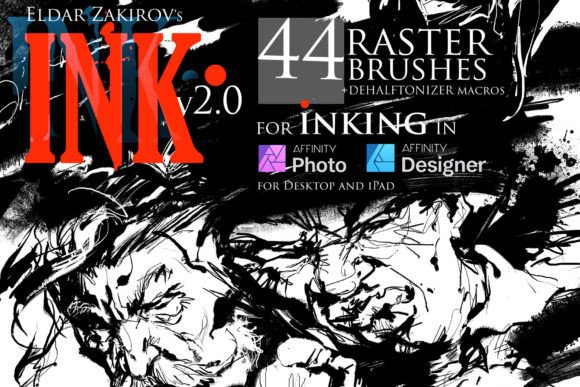
Mastering Digital Inking with INK• 44 Affinity Photo Brushes Updated to V2.0
Digital inking is an art form that demands precision, texture, and a deep understanding of how traditional media behaves on paper. For artists transitioning from physical studios to digital workspaces, the gap between a real nib pen and a sterile digital line can feel insurmountable. This is where specialized tools become essential. The INK• 44 Affinity Photo Brushes updated to V2.0 represent a significant leap forward for illustrators using Affinity Photo and Affinity Designer. However, simply downloading a new brush set does not guarantee mastery. Many creators overlook the nuances of raster versus vector workflows, misconfigure their settings, or fail to utilize accompanying macros, resulting in flat, unconvincing artwork.
Understanding what this toolset actually offers is the first step toward avoiding these pitfalls. This collection is not merely a pack of standard shapes; it is a curated library of 44 raster brushes designed to imitate real instruments with high fidelity. From sharp nib pens and ruling pens to bristle brushes loaded with ink, each tool has been edited and improved to provide realistic digital inking experiences. The update to version 2.0 ensures compatibility across both desktop and iPad versions of Affinity software, addressing a common frustration among mobile artists who previously struggled with inconsistent brush behavior.
The Misunderstanding of Raster vs. Vector Workflows
One of the most frequent mistakes artists make when evaluating brush sets is ignoring the distinction between raster and vector formats. The INK• 44 Affinity Photo Brushes are raster-based. This means they rely on pixels rather than mathematical paths. Beginners often purchase raster brushes expecting them to behave like vector strokes in Affinity Designer, leading to disappointment when lines lose quality upon scaling or when certain vector-specific adjustments fail to apply.
This misunderstanding affects usability and final output quality. If you attempt to use these raster brushes for logo design or scalable graphics, you will encounter pixelation issues. Conversely, using them for their intended purpose—illustration, comic book inking, and textured artistic renders—yields exceptional results. The key is to recognize that these brushes excel in environments where texture and organic variation matter more than infinite scalability. By accepting the raster nature of the tool, you can leverage its strengths, such as the realistic spatter and ink bleed effects that vector tools often struggle to replicate naturally.
Overlooking the Power of the Dehalftonizer Macro
A critical component of this package is often ignored: the DEHALFTONIZER macro action script. Many users focus exclusively on the 44 brushes, missing the utility of this automated tool. The macro is designed to delicately turn a drawing’s grey areas into dotted halftones, using 100% black or white for printing purposes. This is a technique rooted in traditional comic book production, where shading was achieved through patterns of dots rather than gradients.
Failing to use this macro means missing out on a professional-grade finishing touch. Without it, artists might manually attempt to create halftone effects, a process that is time-consuming and prone to inconsistency. The macro automates this conversion, ensuring uniform dot distribution and correct contrast levels. For entrepreneurs and freelancers producing print-ready comics or zines, this feature alone can save hours of post-production work. It transforms flat grey shadows into dynamic, printed-style textures that add depth and liveness to the art.
Ignoring Software Compatibility and Version Requirements
Another common error involves neglecting to check software compatibility before installation. While the INK• 44 Affinity Photo Brushes updated to V2.0 are versatile, they have specific minimum requirements. The set was tested on Affinity Photo v. 1.8.2 and v. 1.10.5 for desktop, and v. 1.10.5 for iPad. For Affinity Designer, the minimum tested version is v. 1.7.0 on desktop.
Attempting to install these brushes on outdated software versions can lead to crashes, missing features, or corrupted brush presets. This affects efficiency and satisfaction, as users may blame the brush set for issues that are actually caused by software incompatibility. Before purchasing or installing, always verify your current software version. Updating your Affinity suite ensures that you can fully utilize the improved settings and stability enhancements included in version 2.0. This proactive step prevents technical frustrations and allows you to focus on creativity rather than troubleshooting.
Misconfiguring Brush Settings for Realistic Results
Even with high-quality tools, poor configuration can ruin the illusion of realism. The brushes in this set imitate specific real-world instruments, such as flat pens, folded pens, and spray brushes. Each requires different pressure sensitivity and flow settings to mimic their physical counterparts accurately. A common mistake is using default pressure curves for all brushes, which results in uniform, lifeless lines regardless of the tool selected.
To avoid this, take time to experiment with the individual settings of each brush. For instance, the spray and splash brushes are designed to give liveness and fine naturalness to your art. They respond best to varied stroke speeds and pressure changes. If you draw too slowly or with uniform pressure, the spatter effect may look artificial or clumped. Practice quick, confident strokes to activate the natural dispersion of ink particles. Similarly, the bristle brushes require a lighter touch to show texture, whereas the ruling pens benefit from steady, consistent pressure. Understanding these nuances transforms your digital ink from a computer-generated line into a convincing simulation of traditional media.
Neglecting the Included Splash and Blot Brushes
Many users focus solely on the primary inking tools, overlooking the three splash blot brushes included in the set. These are identical to the SPLASHES Brush set and are crucial for adding atmospheric details. Ignoring them results in clean but sterile illustrations that lack the organic imperfections found in hand-drawn work.
Incorporating splashes and blots can break up monotony and add visual interest to backgrounds or character designs. For example, adding a subtle ink blot near a character’s feet can ground them in the scene, while random sprays can suggest movement or chaos. These small details enhance communication and presentation, making the artwork feel more dynamic and less rigid. Treat these auxiliary brushes as essential components of your workflow, not just optional extras.
Installation Errors and File Management
Finally, improper installation can hinder accessibility and organization. The product includes two distinct files: the INK. by EldarZakirov 2016-2022.afbrushes file and the INK. Dehalftonizer by Eldar Zakirov.afmacros file. Users often attempt to install both as brushes, causing errors. The macro file must be installed separately into the Library macros section of Affinity Photo.
To install correctly, open Affinity Designer or Photo and navigate to the Brushes panel. Click the menu icon and select "Import Brushes" to load the .afbrushes file. For the macro, go to the Library panel, select Macros, and import the .afmacros file. Keeping these files organized ensures you can access the dehalftoning tool quickly when needed. Proper file management supports a smoother workflow, allowing you to switch between inking and shading techniques without interruption.
In conclusion, the INK• 44 Affinity Photo Brushes updated to V2.0 offer a robust solution for digital artists seeking realism and efficiency. By understanding the raster nature of the tools, utilizing the Dehalftonizer macro, ensuring software compatibility, configuring settings appropriately, and incorporating splash effects, you can avoid common pitfalls and elevate your digital inking to a professional standard. Take the time to learn these tools deeply, and they will become indispensable assets in your creative arsenal.