Exploring Hand-Drawn Pattern Brushes for Procreate: A Practical Guide to Seamless Design Tools
Digital illustration has evolved significantly, moving beyond simple sketching tools to comprehensive ecosystems that allow artists to create complex textures and repeating designs with ease. Among the most versatile resources available to iPad artists are specialized Brushes for Procreate. Unlike standard single-stroke brushes, pattern brushes are engineered to generate continuous, seamless designs as you draw. This distinction transforms the workflow from manual repetition to intuitive creation, allowing users to focus on composition and color rather than the tedious task of aligning tiles.
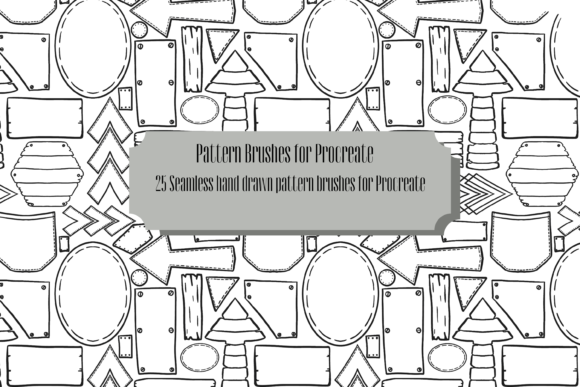
For artists seeking uniqueness in their digital library, hand-drawn assets offer a distinct advantage over algorithmically generated or stock-vector alternatives. A collection of 25 repeating pattern brushes, specifically designed with hand-drawn elements such as flowers, geometric shapes, books, and abstract objects, provides a foundation for truly original artwork. These tools are not merely shortcuts; they are creative instruments that bridge the gap between traditional illustration techniques and digital efficiency. Understanding how these brushes function, their specific applications, and how they compare to other design methods is essential for making an informed decision about integrating them into your artistic toolkit.
The Distinct Value of Hand-Drawn Seamless Patterns
The primary appeal of this specific pack of Brushes for Procreate lies in its organic origin. Many digital patterns available today are created using rigid geometric algorithms or sourced from generic stock libraries. While functional, these often lack the subtle imperfections and warmth characteristic of human handwriting or drawing. Hand-drawn patterns retain the natural variation in line weight, texture, and spacing that makes art feel authentic and engaging.
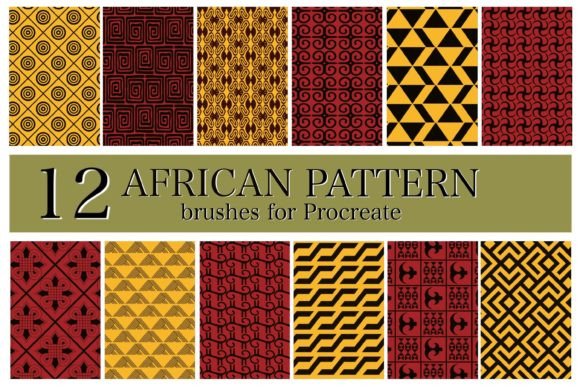
When you use brushes filled with motifs like botanicals, literary symbols, or abstract forms, the resulting output feels cohesive and curated. The seamless nature of these brushes means that as you swipe across the canvas, the end of one tile connects perfectly with the beginning of the next. This eliminates visible seams, a common frustration when manually arranging pattern elements. For designers creating surface patterns for textiles, wallpapers, or digital backgrounds, this technical reliability is crucial. It allows for rapid prototyping of ideas without the technical overhead of setting up complex grid systems or offset filters.
Furthermore, the versatility of these 25 brushes supports a wide range of artistic intentions. They can serve as the final artwork itself, particularly in abstract compositions where the interplay of shapes creates visual interest. Alternatively, they can act as a underlying structure or mask for further coloring and detailing. This dual functionality makes them suitable for both quick concept generation and detailed, layered illustrations.
Comparing Pattern Brushes to Traditional Design Methods
To evaluate whether Brushes for Procreate are the right choice for your workflow, it is helpful to compare them against alternative approaches to pattern creation. Traditionally, creating a seamless pattern involved designing a single tile in software like Adobe Illustrator or Photoshop, then using offset filters to check for continuity, and finally defining it as a pattern fill. This process is precise but time-consuming and often requires a steep learning curve regarding vector paths or pixel manipulation.
In contrast, using dedicated pattern brushes offers a more immediate, tactile experience. You see the result in real-time as you draw. This immediacy encourages experimentation. If a particular density of flowers or geometric shapes does not look right, you can simply adjust your stroke speed, pressure, or the brush size settings instantly. This iterative process is far more intuitive for artists who think visually rather than technically.
However, there are tradeoffs to consider. Traditional vector-based pattern creation offers infinite scalability without loss of quality, which is essential for large-format printing like billboards or vehicle wraps. Procreate, being a raster-based application, relies on resolution limits. While high-resolution canvases mitigate this, artists planning for extremely large physical outputs must be mindful of pixel density. For most digital uses, web graphics, and standard print sizes, the quality provided by these brushes is more than sufficient. But for industrial-scale vector needs, a hybrid workflow—using the brushes for ideation and then recreating key elements in vector software—might be necessary.
Use Cases and Creative Applications
The utility of these 25 repeating pattern brushes extends across various creative disciplines. Understanding where they fit best helps maximize their value. Here are several practical scenarios where these tools excel:
- Digital Scrapbooking and Journaling: The inclusion of motifs like books and flowers makes these brushes ideal for creating personalized digital journal backgrounds. Artists can quickly generate themed pages that feel hand-crafted rather than templated.
- Surface Pattern Design: For those interested in licensing designs for fabric or stationery, these brushes allow for rapid exploration of repeat structures. You can test different colorways and densities before committing to a final design.
- Abstract Art Creation: By layering multiple pattern brushes with different blend modes, artists can create complex, textured abstract pieces. The interaction between geometric shapes and organic floral elements can produce unexpected and compelling visual harmonies.
- Educational and Illustrative Content: The book-themed patterns are particularly useful for educators or authors creating cover art or interior decorations for literary projects. They provide a thematic consistency that is hard to achieve with disparate clip-art elements.
It is important to note that this pack includes 25 brushes for Procreate, but no finished artwork is included. This distinction is vital for setting expectations. The brushes are tools, not final products. The value derives from your ability to manipulate them—changing colors, adjusting opacity, combining them with other brushes, and integrating them into larger compositions. Users looking for ready-made images to insert directly into projects may find this limiting, but for creators who want ownership and uniqueness, this blank slate approach is advantageous.
Evaluating Fit: When to Choose Pattern Brushes
Deciding whether to invest time in learning and utilizing these Brushes for Procreate depends on your specific goals and working style. These tools are an excellent fit if you prioritize speed and organic aesthetics. If you frequently find yourself stuck in the "blank canvas" phase, having a library of pre-designed, seamless elements can jumpstart creativity. They reduce the friction between idea and execution.
They are also suitable for artists who prefer a hands-on approach to digital art. Unlike drag-and-drop asset libraries, pattern brushes require active engagement. You control the direction, scale, and flow of the pattern. This level of control ensures that no two uses of the brush look exactly the same, preserving the uniqueness of your work.
Conversely, these brushes may not be the best solution if you require precise, mathematical symmetry or strict brand guidelines that demand exact color codes and vector precision. In corporate branding contexts, where consistency across thousands of applications is critical, the slight variations inherent in hand-drawn digital brushes might introduce unwanted inconsistency. In such cases, traditional vector pattern tools remain the industry standard.
Maximizing the Potential of Your Brush Library
To get the most out of this collection, consider adopting a flexible workflow. Start by experimenting with the default settings to understand the base character of each brush. Then, delve into Procreate’s brush studio to customize parameters. Adjusting the spacing, scatter, and rotation can dramatically change the feel of a pattern. A dense floral brush can become a subtle background texture by increasing spacing and lowering opacity.
Layering is another powerful technique. Combine a geometric shape brush with a floral brush on separate layers. Use clipping masks to restrict patterns to specific shapes, or use blend modes like Multiply or Overlay to create depth. This approach allows you to create complex, multi-layered designs that look professionally crafted rather than simply stamped.
Additionally, remember that these brushes are compatible with Procreate’s extensive color palette features. Creating custom palettes that complement the mood of the patterns—soft pastels for botanicals, bold primaries for geometric shapes—can elevate the final output significantly. The interplay between color and form is where the true artistic potential of these tools lies.
Final Considerations for Digital Artists
In the broader landscape of digital art resources, Brushes for Procreate focused on seamless patterns occupy a niche that balances convenience with creative freedom. They are not a replacement for fundamental drawing skills, but they are a powerful amplifier of those skills. For adults aged 20–50 who are exploring digital art, whether as a hobby or a professional pivot, these tools offer a low-barrier entry into pattern design.
The key to success with these brushes is viewing them as part of a larger creative ecosystem. They work best when combined with other digital techniques, such as masking, layering, and color grading. By understanding their strengths—organic feel, seamless continuity, and ease of use—and their limitations—raster-based resolution and lack of vector precision—you can make an informed decision about their role in your workflow. Ultimately, the value of these 25 hand-drawn pattern brushes is determined by how effectively you integrate them into your unique artistic voice.